
Your account and your data
Your Technified account is your Discord account. Here you see what Technified knows about you, take a copy of it, or delete it.
My account
Open My account from the menu with your name. It has four tabs:
Good to know
| Tab | What is in it |
|---|---|
| Overview | Your Discord and Roblox accounts, your storage, your newest applications, and how you are signed in. |
| Applications | Everything you applied for or appealed, on every server, with the answers. |
| Files | Files you uploaded with forms, and how much of your space they use. |
| Data & privacy | Which servers hold data about you, a copy of your data, and deleting your account. |
Signing out everywhere
Under Signing in on the Overview you see whether this session came in with Discord or Roblox. Sign out everywhere ends every session of your account, on every device, this one too. Use it if you signed in on a computer that is not yours, or got a message about a Roblox sign in that was not you.
Getting a copy of your data
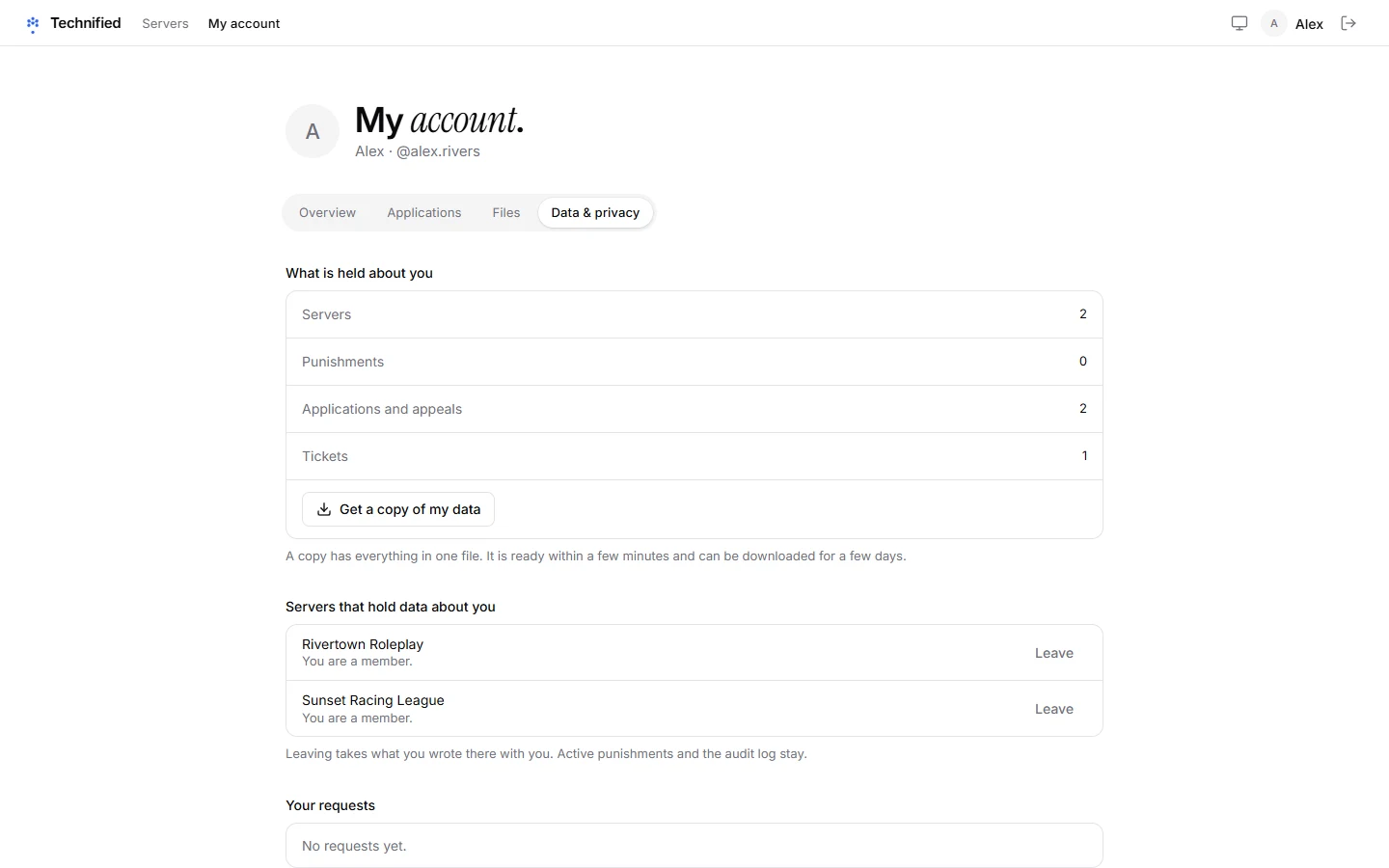
- Open My account → Data & privacy.
- Press Get a copy of my data. It is put together in the background and shows up under Your requests.
- When it is ready, press Download. You get one file with your account, your links, your punishments, applications, tickets and staff records. The download works for a limited time.
From Discord
Run /privacy in any server that uses Technified. Only you see the answer: your account, your Roblox link, the servers that hold data about you, and how many records there are about you, such as punishments or tickets, and how many of them belong to this server.
| Button | What it does |
|---|---|
| Download my data | Prepares the same file as the dashboard. You download it on the dashboard, signed in with the same Discord account. |
| Leave this server | Asks first. Then the roles Technified gave you here are taken away, your applications on this server are deleted, the server can no longer see your Roblox link, and you are removed from the server. Punishments stay. |
| Open on the dashboard | Data & privacy on the dashboard, where you can also delete your account. |
Good to know
/privacy off or hide it from anybody.Deleting your account
On the same tab, use Delete my account. Your account, your Roblox link and what belongs only to you are removed. Records a server needs to keep, such as a punishment, stay with that server without your name on them. You are told exactly what stays before anything happens.
Careful
More about your data
The Privacy Policy explains what is kept, why and for how long.
Still stuck? Get help from the Technified team.